Create a fully accessed shared directory2015/01/19 |
|
Install Samba to configure File Server.
For Exmaple, Create a shared directory which everyone can read and write, and authentication is not needed.
|
|
| [1] | Configure Samba. |
|
[root@lan ~]#
[root@lan ~]# yum -y install samba3x mkdir /home/share [root@lan ~]# chmod 777 /home/share
[root@lan ~]#
vi /etc/samba/smb.conf # near line 58: add follows unix charset = UTF-8
dos charset = CP932 # line 75: change (Windows' default) workgroup = WORKGROUP
# line 81: uncomment and change IP address you allow hosts allow = 127. 10.0.0.
# line 102: change (no auth) security = share
# add follows to the end [Share]
# any name you like path = /home/share # shared directory writable = yes # writable guest ok = yes # guest OK guest only = yes # guest only create mode = 0777 # fully accessed directory mode = 0777 # fully accessed share modes = yes # warn if some people access to a file /etc/rc.d/init.d/smb start Starting SMB services: [ OK ] Starting NMB services: [ OK ] [root@lan ~]# chkconfig smb on |
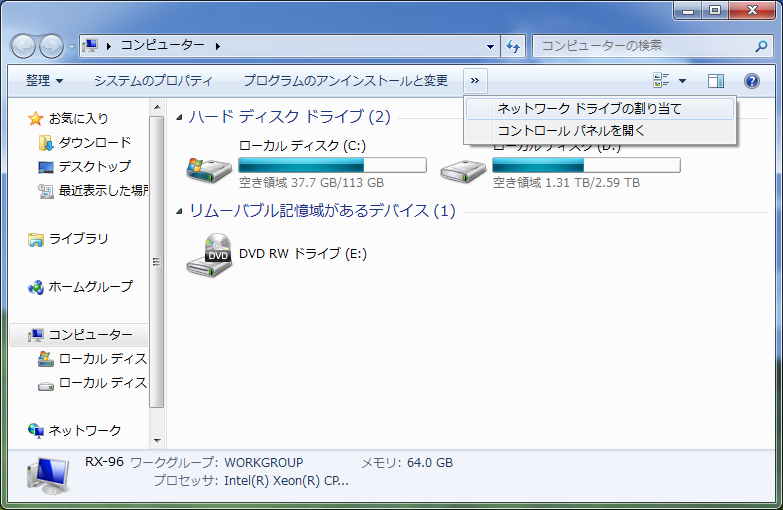
| [2] | It's the way to access to the shared directory from Windows clients. This example is on Windows 7. Select [My Computer] - [Map Network Drive]. |
|
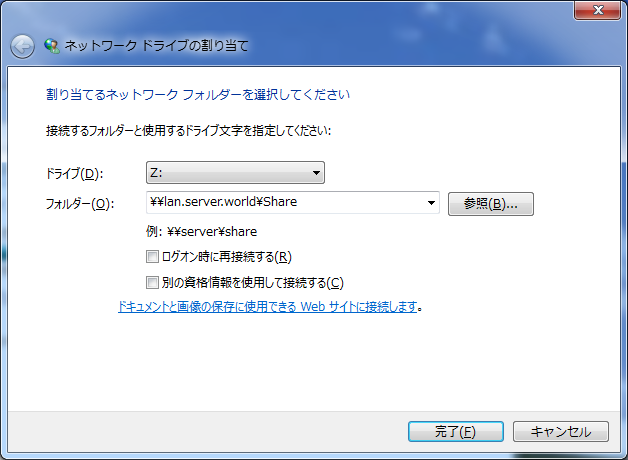
| [3] | Specify the shared folder's place in Folder section like example and Click 'Finish' button to enter. |
|
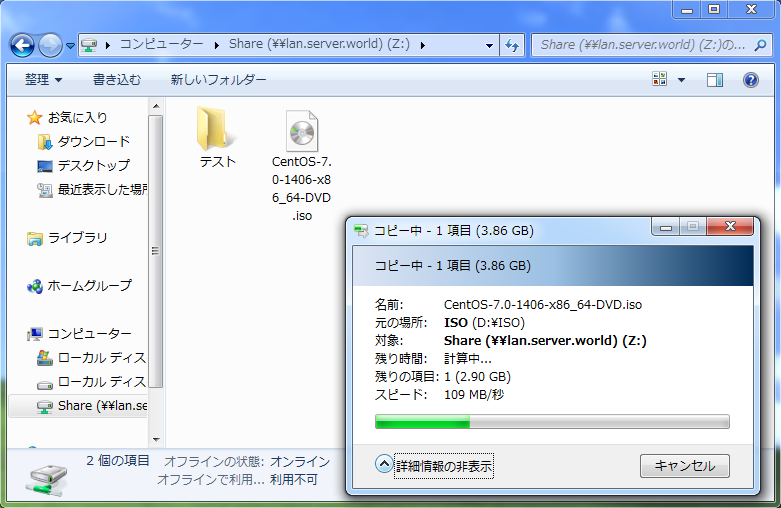
| [4] | Just accessed to the shared folder. |
|
Matched Content