Install SWAT2015/01/19 |
|
Install SWAT to configure Samba from Clients with Web browser.
|
|
| [1] | Install Xinetd and SWAT. |
|
[root@lan ~]#
yum -y install xinetd samba3x-swat
[root@lan ~]#
vi /etc/xinetd.d/swat # line 10: add IP addresses you permit to access only_from = 127.0.0.1 10.0.0.0/24
# line 14: change disable = no
/etc/rc.d/init.d/xinetd start Starting xinetd: [ OK ] [root@lan ~]# chkconfig xinetd on
|
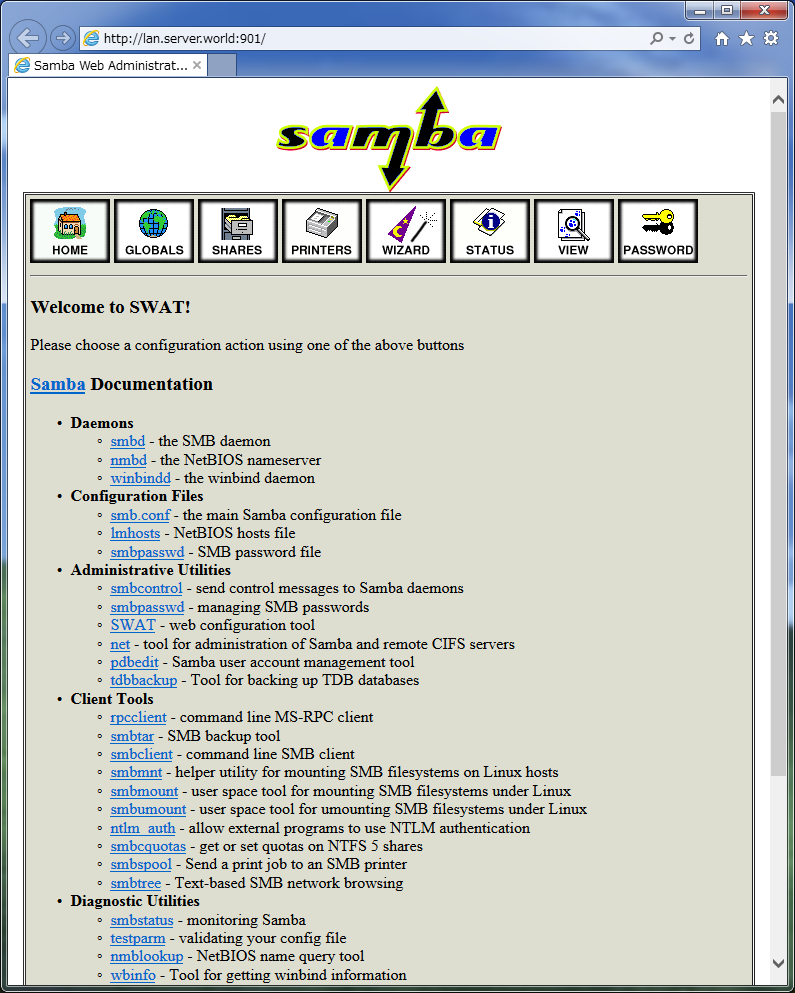
| [2] | Access to the [http://(server's hostname or IP address):901] from Client computer with Web browser. After accessing, user name and password is required to login. This example uses root account. After authentication, following screen is shown and you can configure samba. |
|
Matched Content