Proxy Server2015/01/15 |
|
Install Squid to configure Proxy server.
|
|
| [1] | Install and Configure Squid. |
|
[root@lan ~]#
yum -y install squid
[root@lan ~]#
vi /etc/squid/squid.conf
acl CONNECT method CONNECT
# line 590: add ( define new ACL ) acl lan src 10.0.0.0/24
http_access allow localhost
# line 637: add ( allow defined ACL above ) http_access allow lan http_access deny all # line 922: change http_port 8080
# line 2794: add follows header_access Referer deny all header_access X-Forwarded-For deny all header_access Via deny all header_access Cache-Control deny all # line 3011: add follows visible_hostname lan.srv.world
# line 4283: add follows forwarded_for off
/etc/rc.d/init.d/squid start Starting squid: [ OK ] [root@lan ~]# chkconfig squid on |
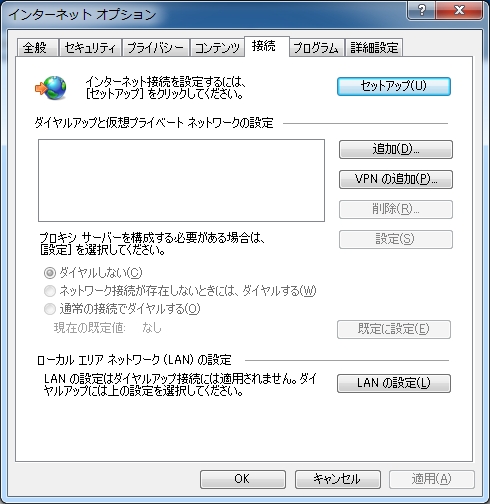
| [2] | Configure proxy settings like follows on Windows Client. The example below is on Internet Explorer 9. Select [Tools] - [Internet Options] and move to [Connections] tab. |
|
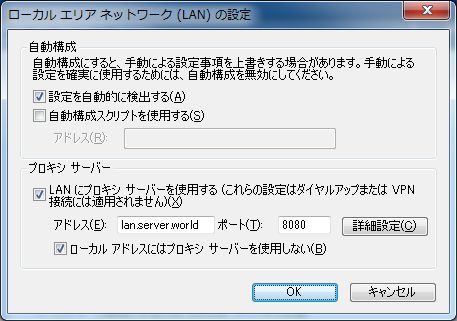
| [3] | Check 'use a proxy' and input server's hostname and port number set in the section [1]. Then, you can access to internet through proxy server. |
|
Matched Content